I’ve lost count of how many calls start the same way.
“We want to implement AI automation.”
Pause.
Then silence.
No process named. No outcome defined. Just a vague pressure that everyone else seems to be doing something with AI, and they don’t want to be left behind.
If that’s you, relax. You’re not late. You’re just early enough to do it right.
I’m a Senior AI & Automation Consultant at KriraAI. For over a decade, I’ve helped founders, operations heads, and enterprise leaders implement AI automation in workflow systems that actually survive real-world usage. Not demos. Not pitch decks. Real workflows. Real messiness.
This guide exists for one reason: to give you clarity. Not hype. Not fear. Just a step-by-step AI automation guide grounded in what works.
Let’s start at the beginning.
AI automation in workflow means using artificial intelligence to make decisions inside your business processes, not just execute predefined rules.
Traditional automation follows instructions. AI-powered workflow automation understands patterns.
That difference matters.
With AI workflow automation, systems can:
Classify incoming data
Predict outcomes
Adapt actions based on context
Improve over time
This is why business process automation with AI feels less like software and more like a capable junior employee who doesn’t get tired.
I’ll make this simple.
Traditional automation: “If X happens, do Y.”
AI automation: “If X happens, analyze context A, B, and C… then decide the best action.”
Traditional automation breaks when reality changes. AI automation bends.
That’s why AI automation for business processes is now replacing brittle rule engines across operations, finance, HR, and customer support.
Here’s what I’ve seen repeatedly.
AI automation for operations doesn’t just save time. It removes friction you didn’t even realize was there.
It improves workflow efficiency by:
Reducing human decision fatigue
Catching errors before they escalate
Handling edge cases instead of ignoring them
Making processes predictable again
And yes, the AI automation benefits for business show up as cost savings. But the bigger win?
Peace of mind.
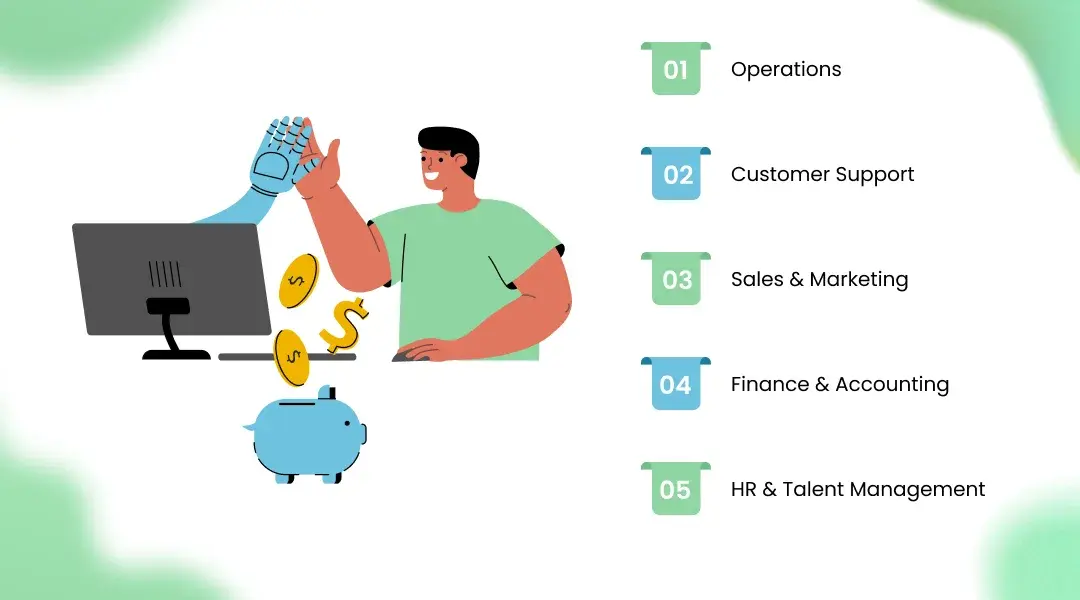
Order processing, demand forecasting, exception handling. AI automation examples here often reduce delays by 30–50%.
AI agents triage tickets, detect urgency, and suggest responses. Humans focus on empathy. Machines handle volume.
Lead scoring, intent detection, follow-up timing. AI automation use cases here increase conversion without increasing headcount.
Invoice processing, fraud detection, reconciliation. Less firefighting. More accuracy.
Resume screening, attrition prediction, onboarding workflows. Faster decisions, fewer biases.
(Notice something? These are all decision-heavy workflows. That’s where AI belongs.)
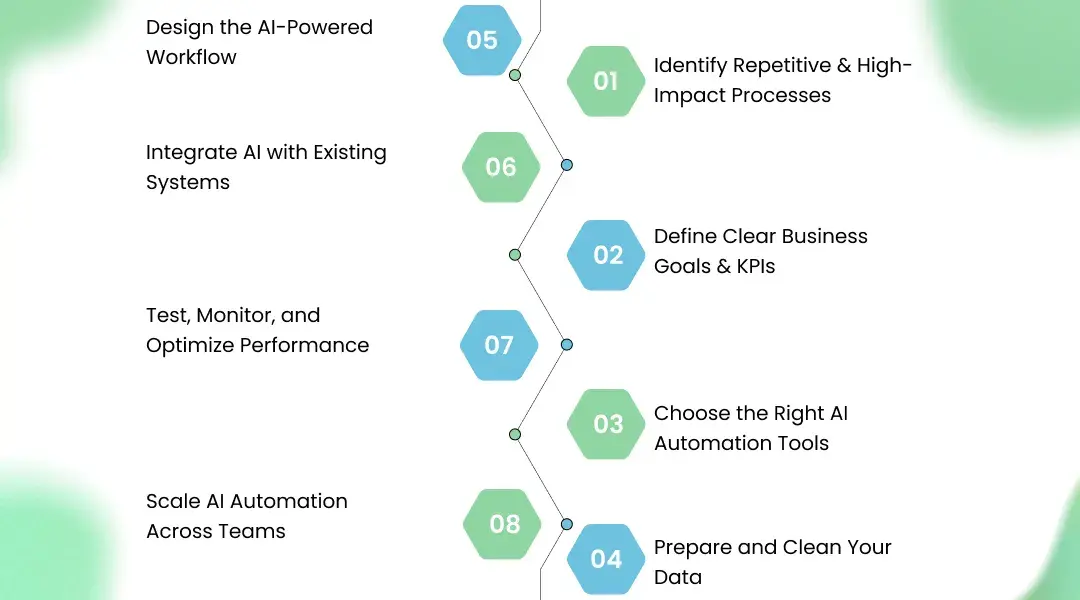
This is the part most articles rush. I won’t.
Start boring.
Look for processes that are:
Repetitive
Rule-heavy but exception-prone
Causing delays or errors
If a task requires judgment and repetition, it’s a candidate for workflow automation using machine learning.
Do not automate “to use AI.”
Automate to:
Reduce processing time
Improve accuracy
Cut operational costs
Improve customer response time
If you can’t measure success, you won’t recognize failure until it’s expensive.
This is where most teams panic.
Here’s my rule: Tools follow strategy. Not the other way around.
AI automation tools for business should align with:
Your data maturity
Your team’s technical capacity
Your integration needs
Sometimes that’s off-the-shelf platforms. Sometimes it’s custom AI automation services for enterprises.
Uncomfortable truth?
Most AI automation challenges start here.
Messy data leads to confident mistakes. Clean data leads to boring success.
Spend time here. Future-you will thank you.
Map the workflow visually.
Where does AI:
Make decisions?
Suggest actions?
Escalate to humans?
The best AI automation strategy respects human override. Always.
AI should fit into your current stack, not bulldoze it.
CRMs. ERPs. Support tools. Accounting software.
This is where experienced partners matter. (Yes, this is where a Best AI development Company earns its reputation.)
AI is not “set and forget.”
Monitor:
Accuracy
Drift
Edge cases
Optimization is not a phase. It’s a habit.
Once one workflow works, replicate the pattern.
Not the model. The thinking.
That’s how AI automation in workflow becomes organizational muscle, not a science project.
Low-code platforms that orchestrate AI decisions across workflows.
Classification, prediction, anomaly detection. Quiet workhorses.
Autonomous decision-makers for support, ops, and internal tasks.
RPA handles repetition. AI handles judgment. Together, they’re effective.
I’ve seen:
An e-commerce company cut order exceptions by 42%
A finance team reduce reconciliation time from days to hours
A support team handle 3× ticket volume without burnout
These aren’t miracles. They’re results of disciplined implementing AI automation.
Let’s be honest.
Unclear goals → Define KPIs early
Poor data quality → Fix inputs before blaming models
Change resistance → Involve humans, don’t replace them
Overengineering → Start small, then scale
AI automation challenges are rarely technical. They’re organizational.
Ask them:
What failed projects taught them
How they handle messy data
How they ensure transparency
Whether they build or just configure
At KriraAI, we build like partners, not vendors. That mindset matters more than any tool.
The future isn’t more automation.
It’s better judgment at scale.
AI-powered workflow automation will increasingly:
Act autonomously
Explain decisions
Collaborate with humans
And the companies that win won’t be the loudest adopters.
They’ll be the most deliberate ones.
AI automation in workflow isn’t about replacing people.
It’s about removing friction so people can do what they’re actually good at.
If you approach it with clarity, patience, and respect for reality, AI becomes boring.
And boring, in business, is beautiful.
It’s the use of AI to make contextual decisions inside business processes, not just execute fixed rules.
Start with repetitive, decision-heavy workflows that cause delays or errors.
It depends on scope and complexity. Starting small keeps risk manageable.
Poor data quality, unclear goals, and lack of human oversight.
Absolutely. AI automation tools for business scale efficiency without increasing headcount.
Founder & CEO
Divyang Mandani is the CEO of KriraAI, driving innovative AI and IT solutions with a focus on transformative technology, ethical AI, and impactful digital strategies for businesses worldwide.