I’ve sat in boardrooms where the word “AI” floated around like perfume. Everyone liked the idea. No one wanted to define it.
Then someone would ask me directly:
“Is this just a smarter chatbot?”
And that’s the moment the room gets honest.
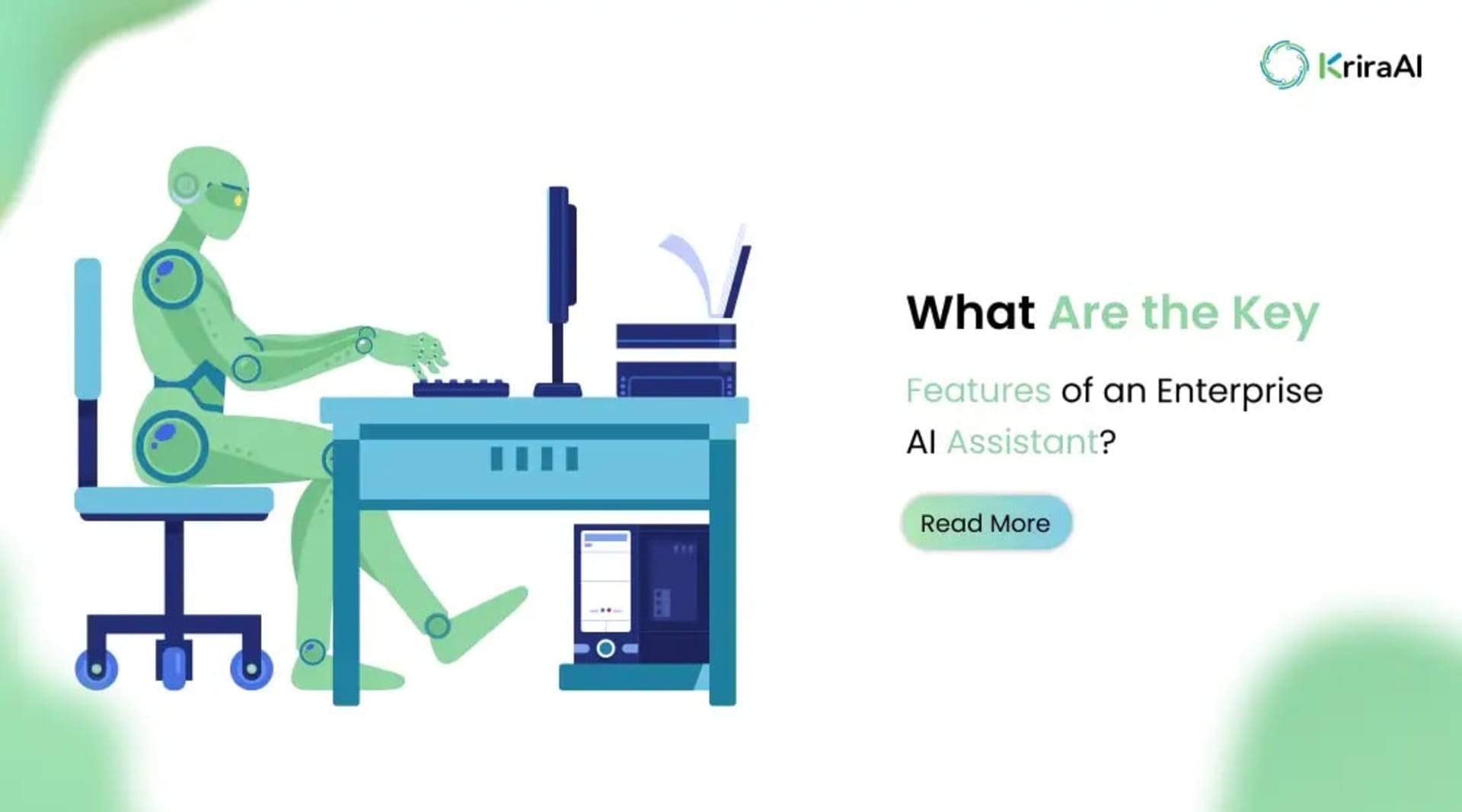
An Enterprise AI assistant is not a fancy FAQ bot. It’s not a widget glued onto your website. It’s infrastructure. It’s operational intelligence woven into how your company works.
If you're evaluating an AI assistant for enterprises, you don’t need hype. You need clarity.
Let’s build that clarity.
Enterprises are messy. Multiple systems. Multiple teams. Multiple layers of approval.
Humans are stitching everything together manually.
That doesn’t scale.
CRMs. ERPs. HRMS platforms. Internal documentation. Emails. Support tickets.
Your company is drowning in data, but starving for insights.
An AI assistant for business can become the connective tissue between that data.
Customers expect instant answers. Employees expect instant access. Stakeholders expect real-time visibility.
Speed is no longer impressive. It’s assumed.
I’ve seen operations teams burn out because they were copying data between systems.
That’s not strategy. That’s survival mode.
This is where Enterprise AI automation begins to matter.
Let’s get practical.
Not theoretical.
If a vendor can’t clearly explain these, walk away.
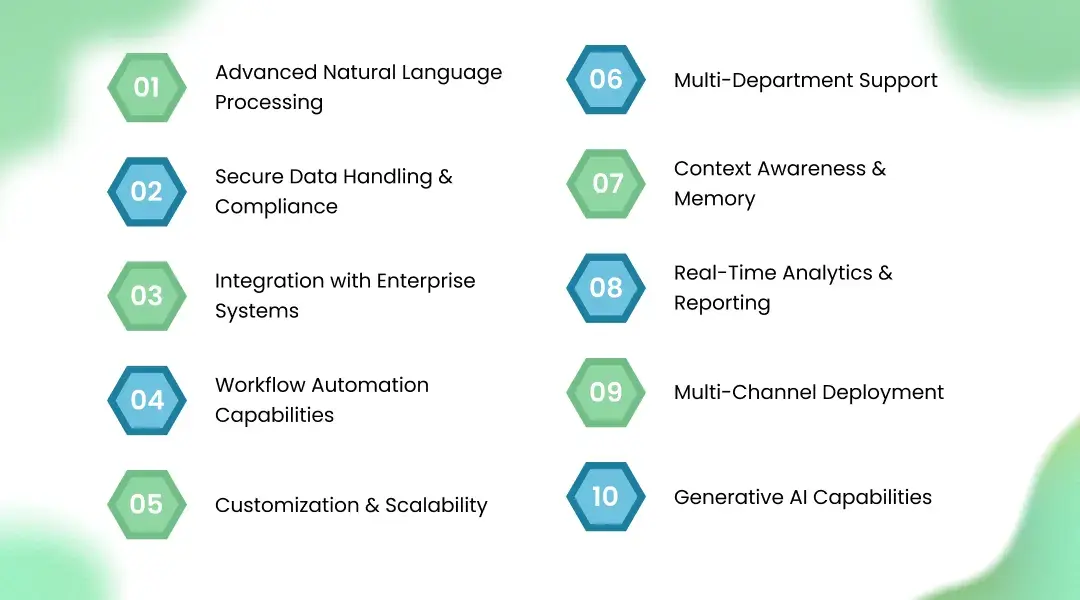
An enterprise system must understand nuance, context, and industry language.
If your assistant cannot interpret complex queries like:
“Show me Q3 procurement deviations for Region West compared to last year”
- it’s not enterprise-ready.
NLP isn’t optional. It’s foundational.
Here’s a question I ask every CTO:
“Where does the data go?”
If the answer is vague, that’s a red flag.
An Enterprise AI assistant must support:
End-to-end encryption
On-premise or private cloud deployment
Audit logs
Compliance frameworks (GDPR, SOC2, ISO standards)
Because one breach destroys years of trust.
If your assistant cannot integrate with SAP, Salesforce, Microsoft Dynamics, Workday — it’s ornamental.
Real Enterprise AI solutions live inside your ecosystem.
I’ve personally overseen integrations where the AI assistant pulls live ERP data and responds in seconds. That’s when leadership stops seeing AI as a “project” and starts seeing it as infrastructure.
Reading data is good.
Acting on it is better.
A mature AI assistant for enterprises should:
Trigger workflows
Create tickets
Approve requests
Escalate anomalies
Automation is not about replacing people.
It’s about removing friction.
Here’s a hard truth.
Off-the-shelf AI tools are built for averages.
Enterprises are not average.
Your assistant must adapt to:
Industry-specific processes
Department-specific terminology
Growing data volumes
At KriraAI, we often step in when companies realize generic tools hit a ceiling. That’s why working with a Best AI development Company that understands customization matters.
An enterprise virtual assistant should not belong to just one team.
It should support:
HR (leave queries, payroll info)
Finance (invoice status)
Sales (CRM insights)
IT (ticket automation)
One assistant. Many departments.
This is where sophistication shows.
Can your assistant remember past interactions?
Can it maintain conversation context across sessions?
If not, users will treat it like a toy.
Context builds trust.
Executives don’t want just answers.
They want patterns.
Your Enterprise AI assistant should generate:
Usage dashboards
Department performance insights
Automation ROI metrics
Otherwise, how do you measure impact?
Web. Mobile app. Slack. Microsoft Teams. Internal dashboards.
Your AI assistant for business must meet users where they already work.
Adoption drops when friction increases.
Yes, generative AI matters.
But responsibly.
An enterprise-grade assistant can:
Draft emails
Summarize reports
Generate internal documentation
Provide intelligent suggestions
But with guardrails.
Always with guardrails.
Let’s be blunt.
A chatbot answers predefined questions.
An Enterprise AI assistant interacts with live systems, enforces permissions, automates workflows, and scales across departments.
Chatbot: Static responses. Enterprise assistant: Contextual, data-driven intelligence.
Chatbot: Often cloud-only. Enterprise assistant: Configurable security layers.
Chatbot: Website-focused. Enterprise assistant: Organization-wide deployment.
Different league.
Different expectations.
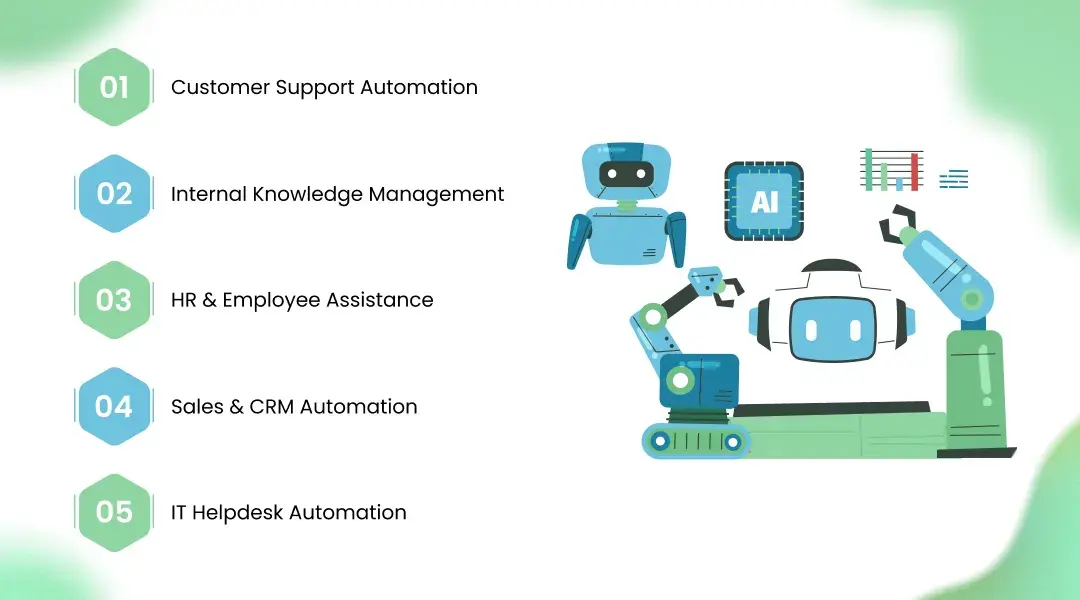
Instant ticket resolution. Intelligent routing. Real-time CRM lookups.
Instead of searching 300-page manuals, employees ask one question.
Done.
Leave balance. Policy explanations. Payroll clarifications.
Automated.
Deal summaries. Pipeline alerts. Lead scoring suggestions.
Smarter decisions.
Password resets. System status checks. Ticket generation.
Less burnout.
Security is not a feature.
It’s the foundation.
Look for:
Data encryption (in transit and at rest)
Role-based access control
Enterprise-grade security certifications
If a vendor avoids these conversations, pause.
Would you give your ERP password to a startup with no audit logs?
Exactly.
Off-the-shelf tools are faster to deploy.
Custom systems align with your processes.
Which matters more to you?
Speed. Or fit.
Proven enterprise deployments
Transparent data architecture
Clear scalability roadmap
Integration capability
When evaluating an AI assistant for enterprises, ask for real case studies. Not demos. Not slides. Production examples.
At KriraAI, we’ve learned that the difference between pilot success and production failure lies in architecture discipline. That’s why partnering with a Best AI development Company isn’t about prestige, it’s about execution maturity.
The next wave isn’t reactive assistants.
It’s autonomous AI agents.
AI copilots that:
Suggest strategic decisions
Detect anomalies proactively
Predict operational risks
We’re already building prototypes where assistants flag procurement irregularities before finance notices.
That’s not science fiction.
That’s roadmap.
If you remember only one thing, remember this:
An Enterprise AI assistant is not about conversation.
It’s about capability.
It must integrate. Secure. Scale. Automate. Adapt.
Anything less is a chatbot wearing a suit.
And enterprises deserve better.
Advanced NLP, secure data handling, system integration, workflow automation, scalability, context awareness, analytics, and multi-channel deployment.
Chatbots answer predefined questions. Enterprise AI assistants integrate with live systems, enforce security, and automate business workflows.
Enterprise-grade assistants support encryption, compliance standards, role-based access control, and private deployments.
Evaluate integration capabilities, security architecture, scalability, real-world case studies, and customization options.
Yes. A properly designed enterprise virtual assistant supports HR, IT, finance, sales, and operations within one unified system.
Founder & CEO
Divyang Mandani is the CEO of KriraAI, driving innovative AI and IT solutions with a focus on transformative technology, ethical AI, and impactful digital strategies for businesses worldwide.