
Enterprise AI Copilot: How to Build One for Your Team
An enterprise AI copilot gives your employees one place to ask questions and get answers grounded in your own documents, systems, and rules. The idea sounds simple, yet most of the work sits underneath the chat box: permissions, data quality, integrations, and testing. Get those layers right and the copilot becomes part of how work gets done. Get them wrong and it becomes another pilot that few people open after week three.
Adoption is already broad, but scaling is not. McKinsey’s 2025 State of AI survey found that 88% of respondents say their organizations use AI regularly in at least one business function, while only 23% report scaling AI agents anywhere in their enterprise. Gartner predicted in July 2024 that at least 30% of generative AI projects would be dropped after proof of concept by the end of 2025, pointing to poor data quality, weak risk controls, rising costs, and unclear value.
Those failure reasons are mostly decisions made, or skipped, before anyone writes a prompt. For IT and operations leaders, that is good news, because scope, data readiness, and controls are things you already know how to manage. The model is the easiest part to swap later, while the plumbing around it is not.
What Is a Workplace AI Copilot?
An enterprise AI copilot is an internal AI assistant that answers questions and completes tasks for employees by connecting a large language model to the company’s own knowledge and software. It works alongside people rather than replacing them, so a human still reviews, approves, and owns the outcome. The “enterprise” part is what separates it from a public chatbot: single sign-on, permission checks, audit logs, and connections to systems like SharePoint, ServiceNow, or your ERP.
Picture a plant supervisor who needs the lockout procedure for a specific press, the last maintenance ticket on it, and the name of the on-call technician. Today that might mean three systems and a phone call. With a copilot, it is one question typed into Microsoft Teams, answered with links back to the source documents so the supervisor can check the work.
Copilot, Chatbot, or Agent: Where the Lines Fall
Main job
Rule-based chatbot
Answer a fixed set of questions
AI copilot
Help a person finish their work faster
Autonomous AI agent
Carry out a multi-step task with limited supervision
Knowledge source
Rule-based chatbot
Scripted answers or an FAQ list
AI copilot
Company documents and live system data
Autonomous AI agent
Company data plus tools it can act with
Who decides
Rule-based chatbot
The script
AI copilot
The employee, with the copilot suggesting
Autonomous AI agent
The agent, within set limits
Typical action
Rule-based chatbot
Route a ticket
AI copilot
Draft, summarize, look up, prefill
Autonomous AI agent
Execute a sequence, such as reconcile and post
Risk level
Rule-based chatbot
Low
AI copilot
Moderate
Autonomous AI agent
Higher, needs tight controls
The labels blur in practice, and vendors stretch them. Gartner’s June 2025 analysis warned about “agent washing,” the relabeling of assistants, RPA tools, and chatbots as agentic AI, and estimated that only about 130 of the thousands of vendors in the space offer genuine agentic products. For most first projects, a copilot that suggests and a human who confirms is the safer starting point.
Where a Copilot Pays Off: High-Value Use Cases
The best first use cases for an AI copilot for business are high-volume, knowledge-heavy tasks where a wrong answer is easy to catch and the time saved is easy to measure. Look for work where people repeatedly search, copy, and reformat information that already exists somewhere in the company. If a task needs judgment that nobody has written down, it is a poor first candidate.
Department
IT service desk
Example task
Answer access and how-to questions, triage tickets
Systems typically connected
ServiceNow, Jira Service Management, Confluence
Why it fits
Repetitive questions with a clear deflection metric
Department
HR
Example task
Explain leave policy for a specific country, guide onboarding
Systems typically connected
Workday, SAP SuccessFactors, policy library
Why it fits
Policies vary by region and change often
Department
Finance
Example task
Explain variances, draft close commentary, find invoice status
Systems typically connected
ERP, accounts payable tools
Why it fits
Saves analyst hours while humans still sign off
Department
Sales
Example task
Prepare account briefs, update CRM notes after calls
Systems typically connected
Salesforce, HubSpot, call recorder
Why it fits
Cuts admin time before and after meetings
Department
Customer support
Example task
Suggest replies backed by cited knowledge articles
Systems typically connected
Zendesk, Freshdesk, product docs
Why it fits
The agent stays in control of what customers see
Department
Operations and field
Example task
Pull SOPs, maintenance history, safety steps
Systems typically connected
CMMS, document management
Why it fits
Answers are needed fast, often on mobile
Department
Legal and compliance
Example task
Find clauses, compare contract versions
Systems typically connected
Contract repository, DMS
Why it fits
Search-heavy work where review stays with lawyers
A company knowledge assistant that answers policy and process questions is the most common starting point, because it needs read access only. Write actions, like updating a CRM record or closing a ticket, come later, after you trust the retrieval layer. That sequencing also makes the security review far easier to pass.
How an Enterprise Copilot Works, Step by Step
An enterprise copilot works by confirming who the user is, retrieving only the content that person is allowed to see, sending that context to a language model, and returning a cited answer inside guardrails your team defines. A single question travels this path:
Identify the user. The employee asks from Teams, Slack, a web portal, or a sidebar inside an app. Single sign-on passes their identity and group memberships along with the question.
Interpret the request. An orchestration layer, built with frameworks such as LangGraph or Microsoft Semantic Kernel or a low-code tool like Microsoft Copilot Studio, decides whether the question needs documents, live system data, or both. It may rewrite the question into clearer search queries.
Retrieve permitted content. This is retrieval-augmented generation (RAG). Documents were split into chunks ahead of time and stored as embeddings (numeric fingerprints of meaning) in a vector database, so the system can run a hybrid search that blends meaning-based and keyword matching, filter results by the user’s access rights, and rerank the best passages.
Call tools if needed. For live facts, the model uses tool calling (structured requests to APIs) to fetch an order status from the ERP or a ticket from ServiceNow.
Assemble the prompt. Instructions, retrieved passages, tool results, and recent conversation are packed into the model’s context window, along with rules such as “answer only from the sources provided.”
Generate the answer. A large language model writes the response and cites the passages it used.
Check the output. Guardrails scan for sensitive data, policy violations, or unsupported claims before the answer appears. Actions that change data wait for the user to confirm.
Log and learn. Each exchange is logged for audit, and thumbs-up or thumbs-down feedback flows into an evaluation set the team reviews on a regular cadence.
Layer
Interface
What it does
Where employees ask
Common options
Microsoft Teams, Slack, web app, browser extension
Layer
Identity and access
What it does
Confirms who is asking and what they can see
Common options
Microsoft Entra ID, Okta, role-based access control
Layer
Orchestration
What it does
Routes requests, manages memory and tools
Common options
LangGraph, Semantic Kernel, LlamaIndex, Copilot Studio
Layer
Retrieval
What it does
Finds relevant, permitted content
Common options
Azure AI Search, Elasticsearch, Pinecone, Qdrant, pgvector
Layer
Model
What it does
Reads context and writes the answer
Common options
Azure OpenAI, Amazon Bedrock, Google Vertex AI, self-hosted open-weight models
Layer
Guardrails and monitoring
What it does
Filters inputs and outputs, tracks quality and cost
Common options
PII redaction, content filters, evaluation tools, LLMOps dashboards
Accuracy lives mostly in step 3. If retrieval surfaces the wrong passage, even a strong model will confidently summarize the wrong thing, which is why mature teams spend more time on chunking, metadata, and access filters than on prompt wording. For a look at how these layers come together in a real deployment, KriraAI’s RAG copilot case study walks through one build.
Build, Buy, or Extend: Pick Your Route First
Most organizations have three routes, buying a suite copilot, extending one with low-code tools, or building a custom copilot, and the right choice depends on where your knowledge lives and how deeply the copilot must reach into your systems. Making this call before you scope features prevents the most expensive mistake, which is custom-building something you could have licensed. It also works the other way, since licensing a general tool for a workflow it cannot see wastes money just as quickly.
Route
Buy a suite copilot (for example, Microsoft 365 Copilot or Gemini in Google Workspace)
Best when
Knowledge sits mostly in one productivity suite and the main need is drafting, summarizing, and searching
Watch out for
Per-seat cost across the workforce, limited control over retrieval and answer format
Route
Extend with low-code (Microsoft Copilot Studio, Amazon Q Business, similar platforms)
Best when
You need a few department-specific assistants with standard connectors
Watch out for
Consumption fees, connector limits, and governance sprawl as teams build their own
Route
Build custom
Best when
Answers depend on proprietary systems, strict data residency, specific workflows, or customer-facing use
Watch out for
Higher upfront engineering, and you own maintenance, evaluation, and security
The per-seat math often settles the question. Microsoft lists Microsoft 365 Copilot for enterprises at $30 per user per month on an annual commitment, charged on top of a qualifying Microsoft 365 license. For 2,000 employees, that add-on alone comes to $720,000 a year, whether or not each licensed person uses it. A custom build trades that recurring fee for engineering cost plus usage-based model fees, which can work out cheaper when only a few hundred people need deep, workflow-specific help.
Building is not the right answer for everyone. If your teams mostly need help writing emails and summarizing meetings inside Outlook and Teams, a licensed suite copilot will likely beat anything you build on time to value. Custom work makes sense when the questions that matter most can only be answered from systems a suite product cannot see or cannot query safely.
Many teams end up with a hybrid: a licensed suite copilot for general productivity and a custom assistant for the two or three workflows that carry real business weight. If that split matches your situation, would it help to see what a dedicated Enterprise AI Assistant build covers before you commit budget?
How to Build an Enterprise AI Copilot in Seven Stages

Building a copilot people trust comes down to seven stages: scope one workflow, prepare the knowledge, choose the model and hosting, connect retrieval and systems, set guardrails, test against real questions, then pilot and scale. Treat enterprise copilot development as a product with an owner and a backlog rather than a one-time IT project. The stages overlap in practice, but skipping any of them tends to show up later as rework.
1. Scope One Workflow and Record a Baseline
Choose a single team and a single job, such as answering IT access requests or drafting month-end variance notes. Measure how that work runs today: tickets per week, average handling time, or hours spent searching. Without a baseline, you will have opinions about the pilot instead of evidence.
2. Audit and Prepare the Knowledge
Inventory the sources the copilot will read, then fix what you find: outdated policies, duplicate versions, scanned PDFs with no text layer, and folders shared far more widely than intended. Assign an owner to each source so content stays current after launch. This step is unglamorous, and it is where many projects win or lose, which lines up with the data-quality problem Gartner flagged in its proof-of-concept warning.
3. Choose the Model and Where It Runs
Pick models based on the task, your data residency rules, and cost per request rather than benchmark headlines. Managed services such as Azure OpenAI, Amazon Bedrock, or Google Vertex AI keep processing under enterprise terms in your chosen cloud region, while open-weight models on your own infrastructure give maximum control at the price of running GPUs yourself. Many teams route simple questions to a smaller, cheaper model and save the larger model for harder reasoning.
4. Connect Retrieval and Business Systems
Build the ingestion pipeline that chunks documents, attaches metadata (owner, date, department, access group), and keeps the index in sync as files change. Then add connectors to the systems the workflow needs, starting with read-only access. Fine-tuning is rarely the first move, because for most knowledge questions better retrieval improves accuracy faster and costs less to maintain.
5. Set Guardrails and Governance
Decide what the copilot may read, what it may change, and which actions need a human to approve. Tie each answer to a user identity, log it, and give compliance a way to review conversations when needed. Treat write actions, like issuing a refund or changing access rights, as human-in-the-loop by default.
6. Test Against Real Questions Before Launch
Collect 100 to 200 real questions from the target team, along with the correct answer and source for each, and run the copilot against this “golden set” after every change. Score each response for correctness, whether it cited the right source, and whether it declined when it should have. Include trick questions about documents the tester should not be able to see, so you can confirm permissions hold under pressure.
7. Pilot, Measure, and Scale
Launch to a small group with a named champion, open office hours, and a visible feedback button. Compare results against your baseline after a few weeks, fix the top failure patterns, and only then expand to the next team. Ongoing LLMOps work, meaning the monitoring of quality, latency, and token spend, continues for as long as the copilot runs.
Security Risks That Are Specific to Copilots
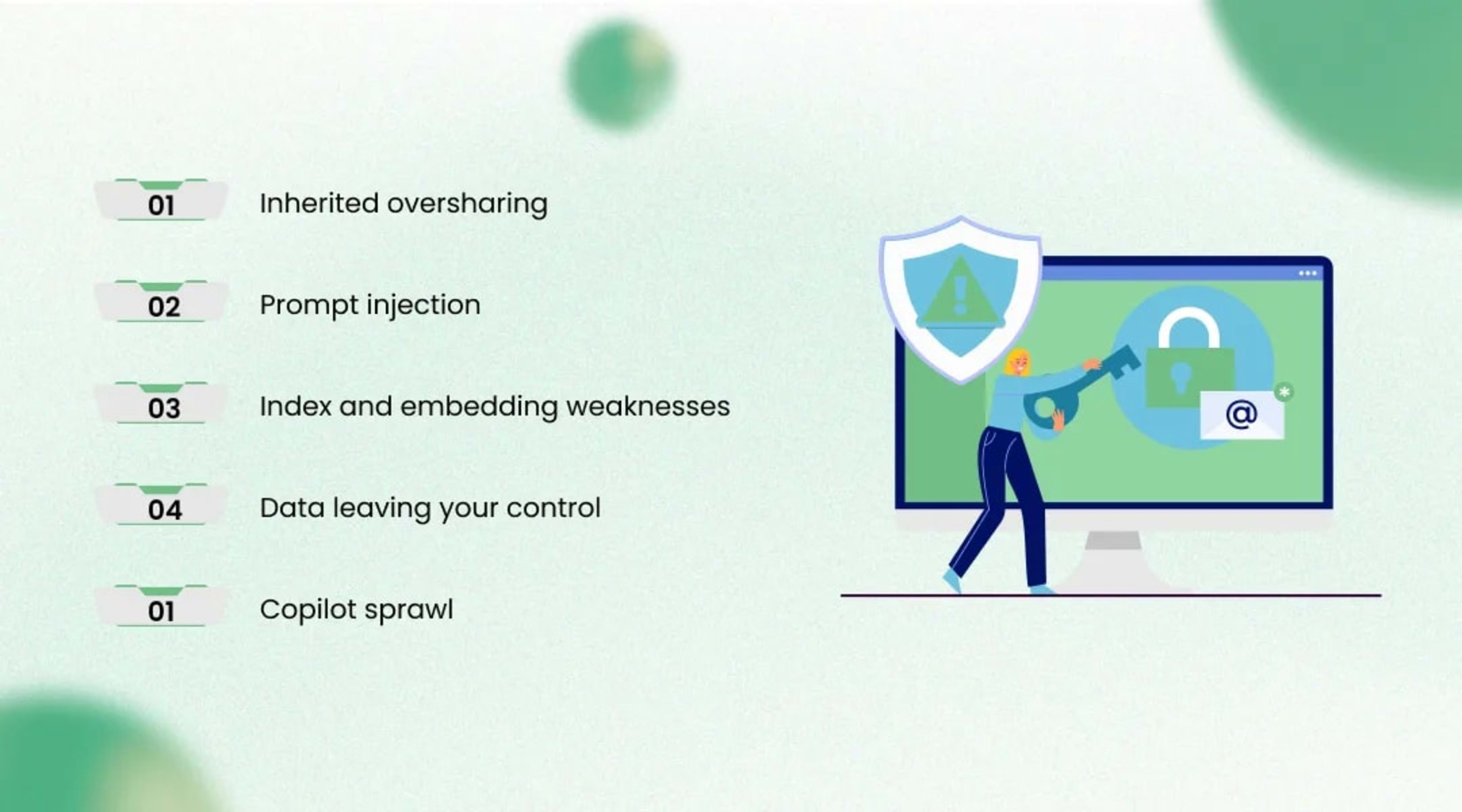
The biggest copilot security risks are inherited oversharing, prompt injection, weak protection of the retrieval index, data leaving your control, and unmanaged sprawl, and each needs a design decision before launch rather than a patch after. Standard controls like encryption and SSO still apply. They just do not cover these threats on their own.
Inherited oversharing. A copilot that searches on the user’s behalf can surface any file that user can technically open, including the salary spreadsheet someone shared with the whole company years ago. Clean up permissions in SharePoint, Google Drive, or Confluence before indexing, and filter retrieval by access group at query time.
Prompt injection. Attackers hide instructions inside content the copilot reads, such as an email or web page, hoping the model will follow them. The 2025 edition of the OWASP Top 10 for LLM Applications keeps prompt injection in the top spot, and the EchoLeak flaw (CVE-2025-32711) showed that same year how one crafted email could drive a zero-click indirect injection that pulled internal file contents out of Microsoft 365 Copilot. Limit what the copilot can do with retrieved text, keep write actions behind confirmation, and test with adversarial inputs.
Index and embedding weaknesses. OWASP’s 2025 list also introduced a dedicated category for vector and embedding weaknesses, aimed at securing RAG systems. Protect the vector database like any other sensitive data store, with access control and tenant separation.
Data leaving your control. Confirm in writing whether your model provider retains prompts or uses them for training, and where processing happens. Mask personal data before it reaches the model when the task does not need it.
Copilot sprawl. Once one team ships an assistant, others follow quickly. Keep a registry of each copilot and agent, its owner, data sources, and permissions so you can audit or retire it later.
What It Costs to Build and Run
Building an enterprise AI copilot involves two budgets: a one-time build cost driven by scope, integrations, and data cleanup, and an ongoing run cost driven by model usage, infrastructure, and the people who maintain quality. Leaders who plan only for the first budget are the ones surprised six months in. The table below shows where money goes and how to contain it.
Cost area
Discovery and data preparation
What drives it up
Many sources, poor document hygiene, permission cleanup
How to keep it in check
Start with one team’s sources and fix ownership first
Cost area
Integrations
What drives it up
Legacy systems without clean APIs, write access
How to keep it in check
Begin read-only and reuse existing integration middleware
Cost area
Retrieval engineering
What drives it up
Mixed formats, scanned files, multilingual content
How to keep it in check
Standardize formats and test chunking on real questions
Cost area
Model usage
What drives it up
Long prompts, large models for simple tasks, chatty multi-step agents
How to keep it in check
Route by difficulty, cache frequent answers, trim context
Cost area
Security and compliance
What drives it up
Regulated data, audit requirements, residency rules
How to keep it in check
Reuse your existing identity and logging stack
Cost area
Evaluation and maintenance
What drives it up
Frequent content changes, new use cases
How to keep it in check
Automated golden-set testing and named content owners
Cost area
Adoption and training
What drives it up
Large, dispersed user groups
How to keep it in check
Champions in each team and short in-app guidance
Cost overruns are a leading reason projects stall. Gartner predicted in June 2025 that more than 40% of agentic AI projects could be canceled by the end of 2027 because of escalating costs, unclear business value, or inadequate risk controls. The defense is boring but effective: tie each phase to a measured outcome and cap usage spend per user during the pilot.
How Long It Takes
In most implementations, a focused read-only pilot for one team is measured in weeks, while a multi-department rollout with write access runs for months. Most of the pilot time goes into data preparation and testing rather than code. Timelines stretch further when the copilot touches core financial systems or must pass strict regulatory review.
Limitations: What a Copilot Can’t Do Well
An enterprise AI copilot can still give wrong answers, struggle with poor or conflicting source material, and behave unreliably on long multi-step tasks, so it works best as an assistant with human review rather than an unsupervised decision-maker. Knowing the limits up front helps you set expectations with users and executives. It also keeps the pilot from being judged against a standard no software meets.
It can still hallucinate. RAG reduces made-up answers but does not remove them, especially when retrieved passages are only loosely related to the question.
It is only as current as your content. If the travel policy on the intranet is two versions old, the copilot will quote the old version with confidence.
Large-scale number crunching is weak. Language models are often unreliable at arithmetic over big tables, so route those questions to SQL or BI tools the copilot can call.
Multi-step autonomy is fragile. The longer the chain of actions, the more chances for one step to go wrong, which is why most teams keep a human checkpoint before anything is committed.
It rarely fixes a broken process on its own. If approvals take ten days because ownership is unclear, a copilot will mostly help people wait more efficiently.
Latency and cost grow with ambition. Long context windows and repeated tool calls make answers slower and more expensive per query.
How to Choose a Copilot Development Partner
A good copilot partner shows you evaluation results on your own data, explains how permissions are enforced at retrieval time, and gives you ownership of the code, prompts, and index. Ask to see these in a working demo instead of a slide deck. These questions separate experienced teams from the rest:
How will you measure accuracy before launch, and will we own the test set?
How does retrieval respect our existing document permissions?
Which parts are model-agnostic, so we can switch providers later?
What does the copilot do when it cannot find a reliable answer?
Who maintains content syncing, monitoring, and model updates after go-live?
Can you show a production deployment similar in scale and data sensitivity to ours?
Be wary of any proposal that leads with a model name and skips data preparation. Given how many vendors now relabel ordinary chatbots as agents, ask for a live walkthrough of the exact workflow you scoped in stage one. A partner confident in their work will welcome that test.
Turning Your First Copilot Into a Working Tool
The fastest path to a useful copilot is one well-chosen workflow, clean and permissioned knowledge, and a test set that proves it works before anyone outside the pilot sees it. Gartner expects 40% of enterprise applications to include task-specific AI agents by the end of 2026, up from under 5% in 2025, so for most IT leaders the open question is how to adopt with control rather than whether to adopt at all. The organizations that get value early are the ones that treat governance and evaluation as part of the build.
Working with a specialist can shorten that path, especially in retrieval engineering and evaluation, where inexperience gets expensive. If you want a team to scope, build, and harden your enterprise AI copilot against your own systems and data, talk to KriraAI as your AI copilot development company and start with a single workflow you can measure.
FAQs
It is a secure AI assistant for employees that answers questions and helps with tasks using the company’s own documents and systems. It checks each user’s permissions and cites its sources so people can verify answers.
Yes, in many implementations the retrieval index and even the language model can run inside your own data center or private cloud. The trade-off is that you take on hosting, scaling, and model updates yourself.
It can, through API connectors and tool calling, for example by creating a ticket or checking an order. Most teams start read-only and require user confirmation for any action that changes data.
Microsoft 365 Copilot works mainly across Microsoft 365 apps and data and is priced per user. A custom copilot is built around your specific systems, workflows, and controls, and is usually deployed only to the teams that need it.
Usually not at first. Retrieval-augmented generation grounds answers in your current documents, and fine-tuning is typically saved for specialized tone, formats, or terminology once retrieval works well.
Yes, if retrieval filters results by the user’s identity and access groups at query time. It can only be as accurate as your existing permissions, so cleaning up overshared folders comes first.
A well-designed copilot says it could not find a reliable source and points the user to a person or channel instead of guessing. You set this behavior through instructions and test it with questions that have no answer in the knowledge base.
Capacity depends on model rate limits, infrastructure, and how heavy each request is, rather than a fixed user cap. Managed model services with autoscaling can let a deployment grow from a pilot group to thousands of users, with cost rising roughly in line with usage.
Scanned documents need optical character recognition before indexing, and many current models can also interpret images and tables directly. Calculation-heavy spreadsheets are better handled by connecting the copilot to a query tool than by indexing them as text.
A product owner in the business team it serves should own it, with IT supporting security and infrastructure. Content owners for each knowledge source keep answers accurate as policies and processes change.
Ridham Chovatiya is the COO at KriraAI, driving operational excellence and scalable AI solutions. He specialises in building high-performance teams and delivering impactful, customer-centric technology strategies.