I'll be blunt. If I hear one more executive say "we need an AI copilot" without being able to explain what that actually means for their Tuesday morning operations meeting, I'm going to start charging a consulting fee for that conversation alone.
Here's the thing. The term corporate AI copilot has become the most overused and most misunderstood phrase in enterprise tech since "digital transformation." And I say that as someone who's spent the last eight years building these systems at KriraAI, a company that's been neck-deep in AI and ML development long before it became a LinkedIn talking point.
So let me do something that most "complete guides" don't actually do. I'll tell you what a corporate AI copilot really is, how it works under the hood, what it actually costs, and just as importantly, where most businesses get the implementation completely wrong.
A corporate AI copilot is an AI-powered assistant, typically built on custom generative AI development, embedded into your business workflows that works alongside your employees, not instead of them. Think of it less like a replacement and more like a brilliant intern who never sleeps, never forgets context, and can process your entire company's documentation in seconds.
Now, here's where people get confused. What is the difference between an AI copilot and an AI assistant? A traditional AI tool, your standard chatbot, your rule-based automation responds to commands. It's reactive. You ask, it answers. An AI copilot for business, on the other hand, sits inside your workflow, understands your context, and proactively suggests what you should do next. It's the difference between a GPS that gives directions when asked and one that reroutes you before you hit traffic.
That distinction matters more than most vendors will admit.
I've built enough of these to strip away the mystique. An enterprise AI copilot works through four layers:
It connects to your existing systems, CRM, ERP, Slack, email, and databases, and pulls in structured and unstructured data. No, it doesn't need "perfect data." It needs accessible data. Big difference.
Using large language models and retrieval-augmented generation (RAG), the copilot doesn't just read data it understands relationships. It knows that when your sales team mentions "the Reliance deal," it's referencing a specific pipeline entry, not a generic query.
This is where the copilot earns its name. It surfaces insights, drafts responses, flags anomalies, and suggests actions while your team is actually working. Not in a separate dashboard. Right there, inside the tools they're already using.
For repetitive, rule-based tasks common in finance workflows, invoice matching, status updates, report generation, the copilot handles them autonomously, escalating only the exceptions.
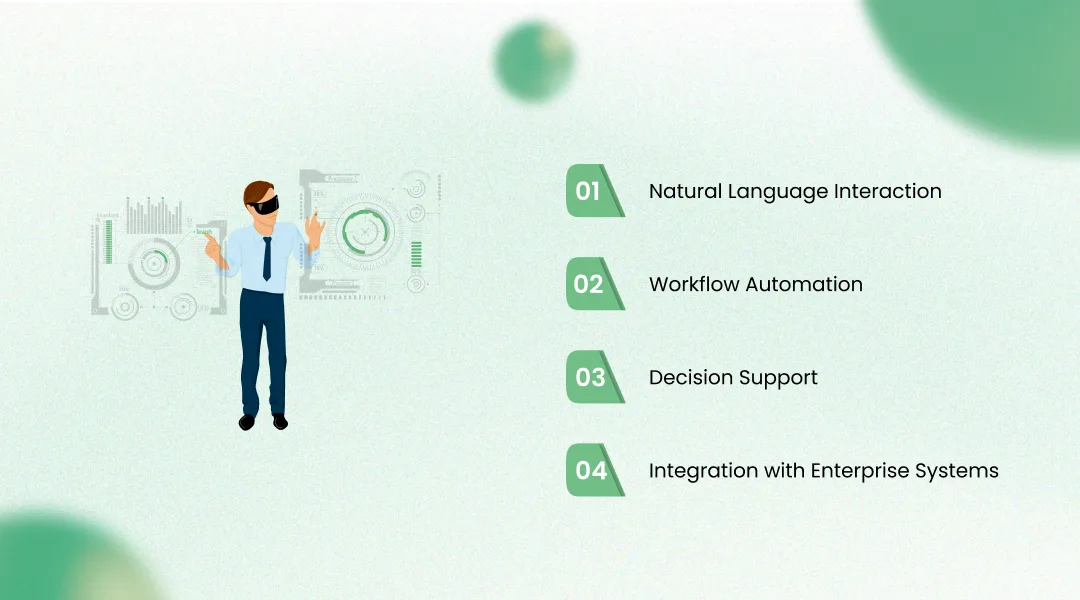
What separates serious AI copilot software for business from dressed-up chatbots? Four things I look for in every build:
Your team talks to it like a colleague, not a command line. No syntax. No dropdowns. Just plain language.
It doesn't just answer questions; it completes tasks. Drafts sent, meetings scheduled, data pulled done.
It pulls relevant data and presents options with trade-offs, not just raw numbers. Context in, clarity out.
It lives inside your existing stack, connecting to SAP, Salesforce, HubSpot, and custom databases. Whatever you're already running.
I'm not going to give you a fluffy list. Here's what I've actually measured across our implementations:
Productivity jumps of 25–40% in teams using copilots for document processing and reporting. Those aren't projections. Those are numbers from real deployments.
Decision speed improves measurably: one logistics client went from 48-hour reporting cycles to near real-time dashboards powered by their copilot.
Operational costs drop because you're eliminating hours of manual data wrangling, not headcount. The savings compound every quarter.
Data entry, status chasing, and formatting reports were tasks nobody wanted to do in the first place. Gone.
The real benefit, though? Your smartest people stop spending their time on the dumbest tasks.
This is the question I get asked most, and I've broken it down in a full AI copilot vs AI assistant comparison, but let me make it concrete here too.
Feature
Interaction Style
Corporate AI Assistant
Reactive (you ask, it answers)
Corporate AI Copilot
Proactive (it suggests, you decide)
Feature
Context Awareness
Corporate AI Assistant
Session-based, limited memory
Corporate AI Copilot
Deep, persistent business context
Feature
Workflow Integration
Corporate AI Assistant
Standalone or light integration
Corporate AI Copilot
Embedded in daily workflows
Feature
Task Complexity
Corporate AI Assistant
Simple Q&A, FAQs, lookups
Corporate AI Copilot
Multi-step reasoning, decision support
Feature
Learning
Corporate AI Assistant
Static rules or basic ML
Corporate AI Copilot
Adapts with usage and feedback
A corporate AI assistant is great for answering "What's our refund policy?" A copilot is what tells your support agent, "This customer has had three issues this month. Here's a draft escalation email with a retention offer attached.
See the difference? One answers. The other thinks.
Copilots that draft responses, pull customer history, and suggest resolutions cut average handle time by 30%+.
Automated inventory alerts, predictive maintenance scheduling, anomaly detection in supply chains. The boring-but-expensive stuff, handled.
Lead scoring, personalized outreach drafts, pipeline forecasting that actually reflects reality instead of wishful thinking.
Invoice reconciliation, expense anomaly flagging, real-time cash flow monitoring. Your finance team stops living in spreadsheet purgatory.
Resume screening, onboarding workflow management, policy Q&A for employees. Every enterprise department has repetitive, context-heavy work. That's Copilot territory.
Microsoft Copilot is the most visible example embedded across Word, Excel, Teams, and Outlook for enterprise users. It's solid for general productivity. But it's a horizontal tool, not a vertical one.
Here's what's more interesting: the custom-built copilots. I've seen a mid-sized Indian e-commerce company build a procurement copilot that reduced their vendor onboarding time from two weeks to three days. No off-the-shelf product could have done that, because the workflow was entirely unique to them.
That's the gap a best AI development company fills. Not selling you a product, but building you a system that fits your operations.
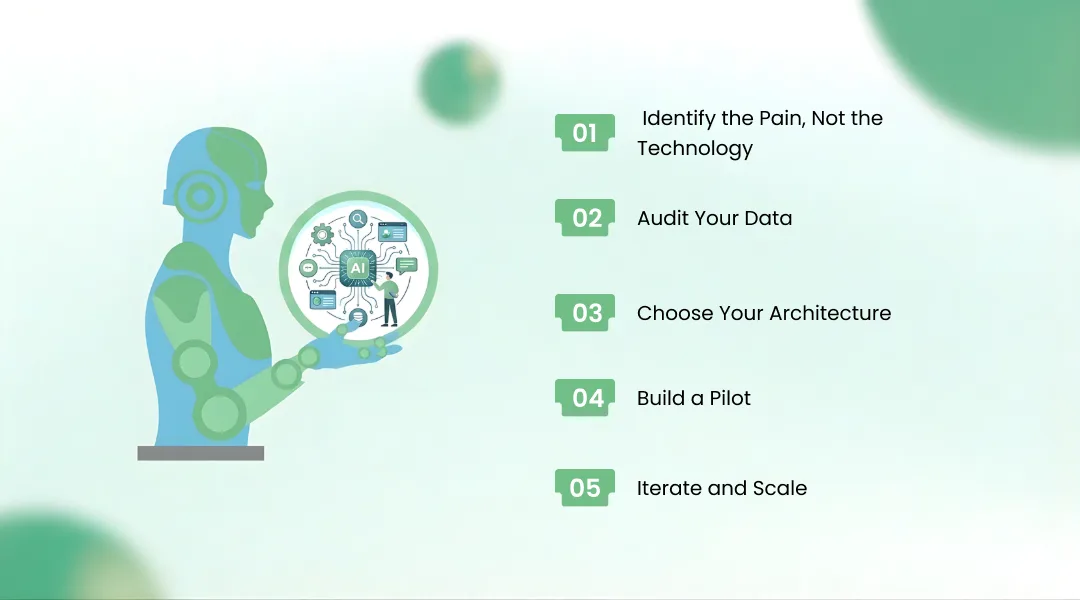
How do I implement an AI copilot in my company? Here's the honest step-by-step from someone who's done it fifteen times:
Start with the workflow that makes your team groan. Not the one that sounds impressive on a slide deck.
What's accessible? What's siloed? What's garbage? Be honest. This step alone saves months of rework later.
Off-the-shelf (faster, less flexible) vs. custom-built (slower, precisely fitted). There's no universally right answer, only the right answer for your situation.
One department, one use case, measurable KPIs. Three months. That's it.
Expand only after the pilot proves ROI, not before.
The tools you'll need depend on your stack, but expect to work with LLM APIs, vector databases, integration middleware, and a competent enterprise AI assistant development services partner who won't overpromise.
Let's talk money, because "how much does a custom AI copilot cost for a mid-sized business?" is the question everyone Googles, and nobody answers straight.
Data complexity, number of integrations, security requirements, model choice (open-source vs. commercial LLMs), and ongoing maintenance. Each one moves the needle.
A SaaS copilot (like Microsoft Copilot) might run $20–30 per user/month. A custom-built AI copilot for enterprises from a custom AI copilot development company like KriraAI can range from $25,000 to $150,000+ for initial development, depending on scope. The cost of AI copilot development scales with ambition, and so does the ROI.
Is a corporate AI copilot worth it for small businesses? Often, yes, if you start small and focused.
I'd be doing you a disservice if I didn't talk about what goes wrong.
Non-negotiable. Your copilot will access sensitive business data. If your AI partner doesn't lead with security architecture, that's a red flag the size of a billboard.
Legacy systems don't play nice with modern AI stacks. Budget for this. Seriously. Every project I've seen go sideways underestimated integration by at least 2x.
The silent killer. The best copilot in the world fails if your team doesn't trust it or know how to use it. Training and internal champions matter as much as the technology.
Where is this heading? Three trends I'm betting on.
Copilots that don't just suggest but execute multi-step workflows independently, with human oversight at decision gates. We're already building early versions of this.
Copilots that tell you about problems before they happen, not after. Predictive, not reactive.
Companies that design their operations around AI copilots from day one, rather than bolting AI onto legacy processes.
The organizations that treat AI copilot implementation in business as a strategic priority today will be structurally faster, leaner, and harder to compete with tomorrow.
A corporate AI copilot isn't magic. It's well-architected software built on good data, integrated into real workflows, and designed for the people who actually use it. That's it. No mystique required.
But getting it right demands more than just picking a vendor. It demands a partner, an enterprise AI solutions provider, who's done the messy, real-world work of making AI actually useful inside a business.
That's what my team at KriraAI does. Not hype. Not decks. Working systems.
If you're evaluating an AI copilot for business adoption and want a conversation with someone who's built these for companies like yours, reach out. I'll tell you what I honestly think. Even if the answer is "you're not ready yet."
It's an AI system embedded in your daily business tools that works alongside your team—suggesting actions, automating repetitive tasks, and surfacing insights from your company's data in real time.
A chatbot answers predefined questions. A copilot understands your business context, integrates with your workflows, and proactively assists with complex, multi-step tasks. The gap between them is enormous.
SaaS options start around $20–30/user/month. Custom-built copilots range from $25,000 to $150,000+ depending on data complexity, integrations, and scope. Starting with a focused pilot keeps initial costs manageable.
Absolutely, if you start with a specific pain point rather than trying to automate everything at once. A well-scoped copilot can deliver ROI even for teams of 10–20 people.
Skipping the data audit and jumping straight to tool selection. If your data is inaccessible, siloed, or inconsistent, no copilot—no matter how sophisticated—will deliver results. Fix the foundation first.
Founder & CEO
Divyang Mandani is the CEO of KriraAI, driving innovative AI and IT solutions with a focus on transformative technology, ethical AI, and impactful digital strategies for businesses worldwide.