I've sat in a lot of boardrooms. And in 2024 and 2025, one phrase keeps coming up like a nervous tic: "We need AIs"s
Fair enough. But what kind?
Because when a CEO says "AI copilot" and their CTO nods along, they're often picturing two completely different things. One's thinking about a smart assistant that helps their team write faster. The other is imagining an autonomous system that routes tickets, triggers workflows, and escalates issues at 2 AM without a human in the loop.
Both are right. And both are talking past each other.
That gap - between what people think AI does and what it actually does in an enterprise context - costs companies real money. Wrong tool selection means six months of integration headaches, a bloated SaaS bill, and a team that goes back to using spreadsheets.
I've seen it happen more than once.
So let's get specific. Let's talk about what an AI copilot actually is, what an enterprise AI assistant actually does, and most importantly, which one belongs in your business.
An AI copilot is an AI-powered tool that works alongside a human user to enhance their individual output. It doesn't replace you. It amplifies you.
Think of it like this: you're still flying the plane. The copilot handles the instrumentation, flags turbulence ahead, and suggests altitude changes, but your hands are on the controls.
AI copilots operate in real-time, contextual assistance mode. They sit inside the tools you already use - your IDE, your document editor, your browser,r and respond to what you're doing right now. They use large language models (LLMs) and contextual awareness to predict what you need next, generate drafts, surface relevant data, or flag errors before they become problems.
GitHub Copilot → Suggests code as developers type, auto-completes functions, flags bugs
Microsoft 365 Copilot → Drafts emails, summarizes meetings, generates PowerPoint slides from a prompt
Jasper / Copy.ai → Assists marketing teams with content generation and brand-consistent .copy
Tableau AI / Power BI Copilot → Translates natural language questions into data visualizations.
The common thread: a human is always the decision-maker. The copilot handles the grunt work.
An enterprise AI assistant is a system-level AI deployment designed to automate, orchestrate, and execute business processes - often without requiring a human to initiate each action.
This is not a chatbot. This is not a productivity plugin. It's infrastructure,e the kind of system-level enterprise AI assistant development work that requires real engineering, not a prompt template.
An enterprise AI assistant integrates with your CRM, ERP, HRMS, ticketing systems, and communication platforms. It can receive a customer complaint at 3 AM, classify it, pull account history from your CRM, trigger a refund workflow, notify the relevant team lead, and log the resolution - all before your support agent has had their morning coffee.
Your phone's voice assistant? That's reactive, single-turn, and lives in a silo. An enterprise AI assistant is proactive, multi-step, and system-aware. It doesn't just answer questions - it acts on them across your entire tech stack.
Dimension
Core goal
AI Copilot
Enhance individual human productivity
Enterprise AI Assistant
Automate and orchestrate business processes
Dimension
Who benefits
AI Copilot
Individual contributors
Enterprise AI Assistant
Teams, departments, entire organizations
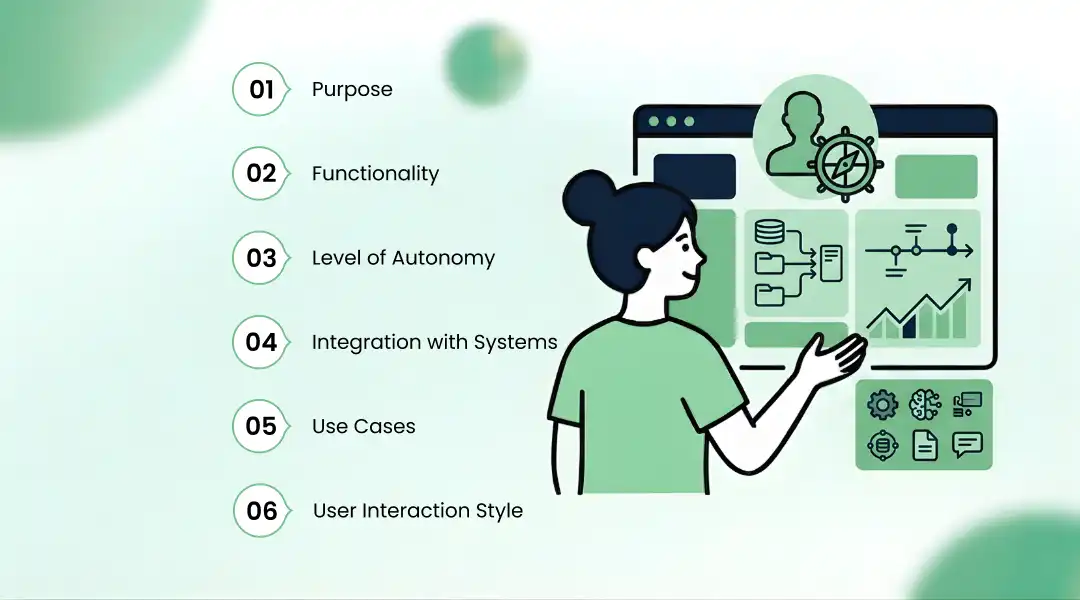
An AI copilot for business responds to user-initiated prompts. You ask, it answers, suggests, or generates. It's a conversation tool.
An AI-powered enterprise assistant executes pre-defined or dynamically triggered workflows. It watches for conditions, makes decisions within defined parameters, and acts.
This is the critical one.
AI copilots: low autonomy. Every action is human-approved. Enterprise AI assistants: medium-to-high autonomy. Designed to handle entire workflow chains with minimal human checkpoints.
Copilots typically integrate at the application layer - your IDE, your email, your writing tool. Enterprise AI assistants integrate at the infrastructure layer - APIs, databases, ERP systems, identity management.
Copilots: writing, coding, research, data analysis support. Enterprise assistants: customer service automation, internal IT helpdesk, HR onboarding, supply chain alerts, financial reporting triggers.
Copilots are conversational and responsive. Enterprise assistants are often invisible, running in the background, surfacing only when escalation or human judgment is required.
Feature
Primary User
AI Copilot
Individual employee
Enterprise AI Assistant
Teams / Organization-wide
Feature
Autonomy Level
AI Copilot
Low (human-driven)
Enterprise AI Assistant
Medium–High (system-driven)
Feature
Interaction Type
AI Copilot
Conversational, prompt-based
Enterprise AI Assistant
Workflow-triggered, event-based
Feature
Integration Depth
AI Copilot
App-level (email, IDE, docs)
Enterprise AI Assistant
Infrastructure-level (ERP, CRM, HRMS)
Feature
Deployment Complexity
AI Copilot
Low–Medium
Enterprise AI Assistant
High
Feature
Best For
AI Copilot
Productivity, creativity, coding
Enterprise AI Assistant
Automation, operations, scale
Feature
Real-time Operation
AI Copilot
Yes, reactive
Enterprise AI Assistant
Yes, proactive
Feature
Customization
AI Copilot
Moderate
Enterprise AI Assistant
High (enterprise-grade)
Feature
Security Requirements
AI Copilot
Standard
Enterprise AI Assistant
Enterprise-grade (SSO, RBAC, audit logs)
Feature
Examples
AI Copilot
GitHub Copilot, MS 365 Copilot
Enterprise AI Assistant
Custom-built platforms, ServiceNow AI
(Stop for a second. Be honest with yourself: are you evaluating AI tools because you actually understand your problem - or because someone in a LinkedIn post made it sound urgent? No judgment. But knowing the answer changes everything about which tool you actually need.)
Developers use AI productivity tools for companies like GitHub Copilot to write boilerplate code, auto-complete functions, catch syntax errors, and document code as they go. Teams report 30–50% reductions in time spent on repetitive coding tasks.
AI copilots assist marketing teams with campaign briefs, ad copy variations, SEO-optimized content drafts, and A/B test language generation. Tools like Jasper or HubSpot's AI features slot into existing workflows without disrupting them.
From blog posts to video scripts to product descriptions - generative AI copilots handle first-draft creation so human writers can focus on editing, fact-checking, and brand voice refinement.
Tools like Power BI Copilot let analysts ask natural language questions - "Show me Q3 revenue by region compared to last year"- and get instant visualizations. No SQL required.
An enterprise AI automation tool can handle Tier 1 customer queries end-to-end - resolving password resets, order status checks, billing inquiries, and return requests, without a human agent. Escalations to humans happen only when complexity requires it.
Enterprise assistants monitor business conditions and trigger actions. This is the same operational logic we broke down in our guide to AI for small logistics companies, where rollout costs and ROI timelines are mapped step by step. New employee onboarded? The assistant kicks off account provisioning, sends welcome sequences, schedules orientation meetings, and notifies IT - automatically.
From IT helpdesk automation to facilities management to procurement approvals - AI decision support systems embedded in an enterprise assistant reduce the cognitive load on operations teams significantly.
At the strategic level, enterprise AI assistants aggregate data from multiple systems, generate reports, flag anomalies, and surface recommendations for leadership, acting as a kind of always-on intelligence layer for the business.
Teams using AI copilots consistently report significant reductions in time spent on repetitive, low-judgment tasks. In one project I managed for a SaaS company, developers using GitHub Copilot alongside a custom writing assistant cut their sprint cycle time by roughly 35%.
The elimination of context-switching - stop what you're doing, go find that syntax, come back - alone justifies the investment for most knowledge-work teams.
The benefits of AI copilots extend beyond raw speed. When humans and AI work in a genuine feedback loop, the human sets the direction, AI executes, and the human refines; the quality of output often exceeds what either could produce independently.
What a human team can handle in a workday, a well-built enterprise AI assistant handles continuously, across every time zone, simultaneously.
Reduced headcount pressure on repetitive operations, fewer escalations, lower error rates. In a logistics client I worked with, an AI-powered enterprise assistant reduced manual data entry hours by over 60% within 90 days of deployment, a pattern we see repeatedly across AI solutions for manufacturing companies dealing with similar operational bottlenecks.
Your enterprise assistant doesn't take weekends. Customers get responses, workflows advance, and exceptions get flagged regardless of what's on your team's calendar.
Startups and SMEs: Start with an AI copilot for business. Lower deployment complexity, faster ROI, and your team retains control while learning how to work effectively alongside AI. You can partner with the Best AI development Company to identify the right tools without over-engineering early.
Mid-market and Enterprise: You likely need both - copilots at the individual productivity layer and an enterprise AI assistant orchestrating your operations layer. These aren't competing tools; they're complementary tiers.
Improving a team's writing, coding, or analytical output? → AI copilot
Automating multi-step business processes, customer workflows, or internal operations? → Enterprise AI assistant
Both? → A phased roadmap: copilots first, assistant infrastructure second
AI copilots are typically subscription-based and low-cost to trial. Enterprise AI assistant deployments require meaningful investment in integration, security, and customization, but the operational ROI at scale is substantially higher.
Our Enterprise AI Assistant development services at KriraAI are specifically designed to meet companies at whatever stage of this journey they're in, with no one-size-fits-all solution pushed on anyone.
We're already seeing the next evolution: AI agents that don't just assist or automate, but actively plan and execute multi-step tasks with minimal human oversight. Ourr breakdown of AI voice agents in logistics shows what that looks like in a live production system today. Think less "copilot" and more "autonomous navigator."
The distinction between copilot and enterprise assistant will blur as systems gain greater contextual understanding and organizational trust. The businesses that will win aren't the ones that deploy the most AI - they're the ones that build the right governance, feedback loops, and human-AI trust frameworks to let AI operate at its full potential.
This isn't science fiction. It's the roadmap I'm actively helping clients architect right now.
Here's the simple version: an AI copilot makes your people faster. An enterprise AI assistant makes your business more autonomous. Both create real value. Both require real strategy.
What I'd caution against? Buying the one that sounds more impressive in a pitch deck. The right answer is always the one that solves your specific operational problem and is deployed with a partner who's actually built these systems before, not just sold the concept.
At KriraAI, that's all we do. Human-centric, problem-specific AI that works in the real world. If you're mapping out your AI strategy and want a straight-talking technical partner, let's talk.
An AI copilot assists individual users in real-time by responding to prompts within their existing tools - enhancing productivity without replacing human decision-making. An enterprise AI assistant is a system-level deployment that automates multi-step business processes across an organization, often operating proactively and with minimal human initiation.
Yes, but with important caveats. Enterprise AI assistants require meaningful integration effort and infrastructure investment. Most SMEs benefit more from starting with AI copilots and scaling to assistant-level automation once their core processes are well-defined. A phased approach reduces risk and accelerates learning.
Microsoft 365 Copilot is primarily an AI copilot - it works within Microsoft apps (Word, Excel, Teams, Outlook) to assist individual users with tasks like drafting, summarizing, and analyzing. However, Microsoft is increasingly adding enterprise automation capabilities, blurring the line. For full enterprise-grade automation, organizations typically need additional orchestration layers.
Enterprise AI assistants integrate through APIs and middleware with existing business systems including CRM platforms (Salesforce, HubSpot), ERP systems (SAP, Oracle), HRMS, ticketing systems (ServiceNow, Jira), and communication platforms (Slack, Teams). Integration depth and security requirements (SSO, RBAC, audit logging) are key considerations in deployment planning.
It depends on your business context. AI copilots typically deliver faster, more visible ROI at the individual and team level, often within weeks. Enterprise AI assistants require more upfront investment but deliver substantially higher ROI at scale through operational automation, reduced headcount pressure, and 24/7 capability. The best approach for most growing businesses is a phased strategy: copilots first, enterprise automation second.
Founder & CEO
Divyang Mandani is the CEO of KriraAI, driving innovative AI and IT solutions with a focus on transformative technology, ethical AI, and impactful digital strategies for businesses worldwide.